Mon - Fri: 09:00 - 18:00 EST 1000 Telegraph St #600, Reno, NV 89502, US
Workflow Blueprint

Reference Tracks - Tracks That Should Remain Visible

Architectural routing and persistent visual anchoring methods designed to keep commercial target mixes, rough balances, and print buses permanently in sight during deep editorial passes.

Critical Routing Takeaways

Losing sight of an approved target mix invites gradual acoustic drift. When engineering high-density mixes, the ability to organize large session tracks systematically prevents cognitive fatigue. Leveraging Pro Tools folder tracks alongside an intentional track pin routine maintains clarity across complex arrangements.

01 Dedicated Sub-Master Bypasses

Route references directly to clean monitor controller outs instead of your main mix processing chain to prevent accidental double compression or bus coloration.

02 Persistent Top-Lane Placement

Positioning target audio directly below master meters secures immediate sightlines regardless of which instrument stems expand during detailed edits.

03 Level Matched A/B Switching

Trim reference audio gain to match your project integrated loudness so comparative listening judges tonal density rather than perceived loudness differences.

The Visual Architecture of Comparative Mixing

During multi-hour mix sessions, auditory fatigue naturally skews your perception of high frequencies and low-end definition. Having a calibrated reference constantly accessible prevents over-brightening vocals or drowning low registers in excessive sub energy.
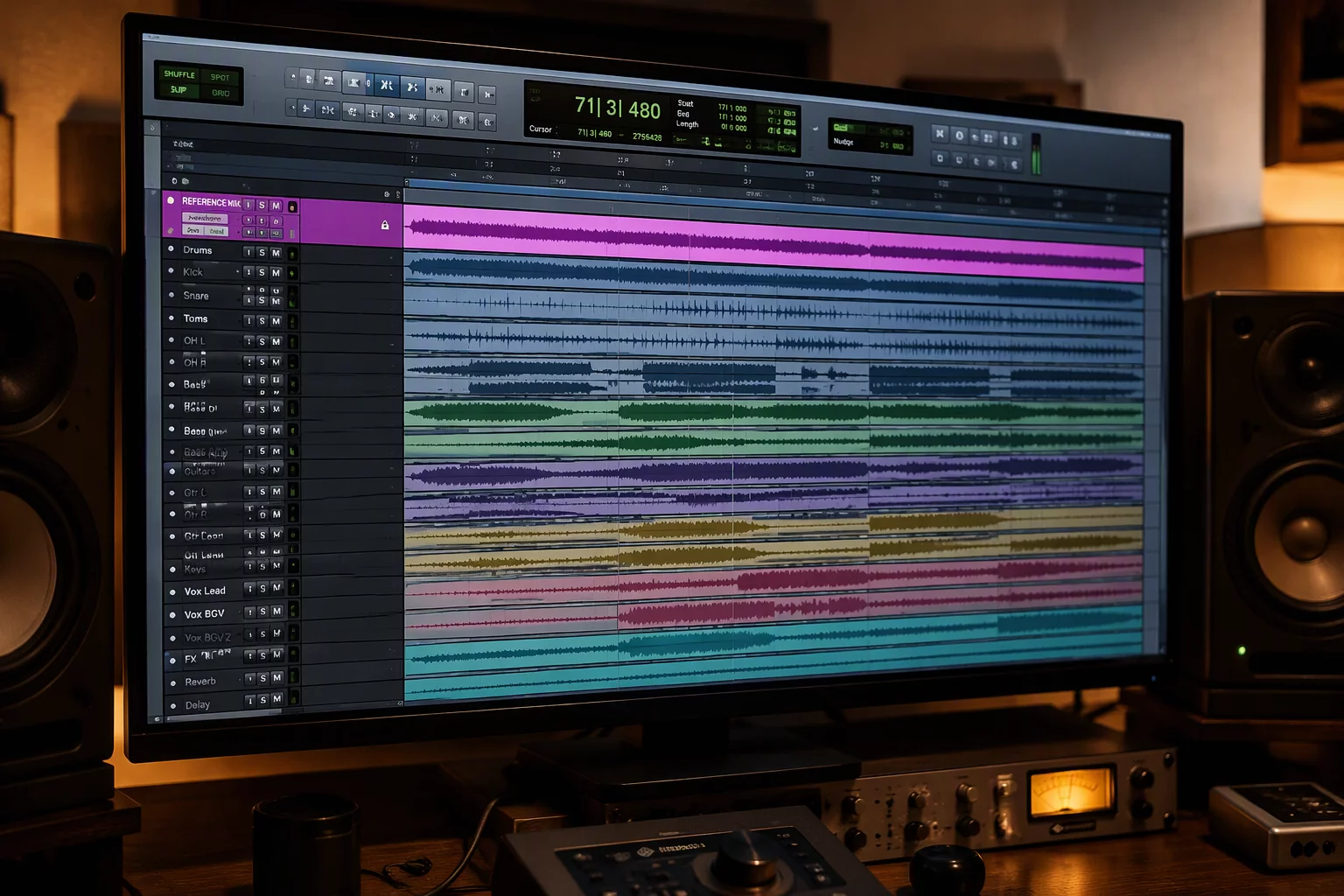
Reference Tracks - Tracks That Should Remain Visible

Unanchored reference stems frequently disappear below hundreds of timeline rows as tracking sessions unfold. Efficient engineers establish dedicated routing paths early. When you utilize Pro Tools folder tracks for multi-track sub-mixes, you gain both compact track views and direct bus control without sprawling across dozens of faders.

Tucking rough passes or competitor mixes into regular instrument containers causes immediate friction when you need an instant comparative sanity check. Furthermore, applying a disciplined track pin scheme on essential master faders, stems, and mix references guarantees your baseline levels remain consistently in sight as you navigate through deep arrangement timelines.

Essential Reference Setup Standards

Adhering to strict technical guardrails ensures your reference stems provide reliable sonic ground truth without interfering with print bus stems.

  1. 1
    Monitor Out Assignment: Direct Physical Out 3-4 (Bypassing Master Bus limiter)
  2. 2
    Loudness Normalization: Calibrated down -6 dBFS to -10 dBFS to match target mix headroom
  3. 3
    Solo Safe Status: Engaged permanently to allow instant isolation without channel hunting
  4. 4
    Visual Lane Anchor: Pinned directly below Master Print with distinct high-contrast color tag

Preventing Workflow Drift Across Complex Projects

When sessions scale beyond seventy or eighty active channels, engineers often waste valuable concentration hunting for audition tracks. Learning how to organize large session sessions requires treating the workspace like an architectural schematic. Color coding, folder collapse states, and localized routing combine to maintain peak performance during demanding production phases.

Seamless Integration Across Workflow Stages

Whether aligning drum transient impact or polishing final vocal presence, an anchored guide provides an objective metric for dynamic range and stereo dispersion. With consistent template rules applied, you can shift from raw tracking into deep surgical editing or final printing without rebuilding your view configuration each time.

Calibrate Your Studio Session Blueprints

Consult directly with our workflow specialists to build custom session templates with anchored reference routing, streamlined busing, and zero visual clutter.

Reserve Template Consultation
Direct Consultation

Book Session Workflow Consulting

Request personalized studio timeline structuring and routing guidance tailored to your DAW arrangement.

Community Insights

Engineer Discussion

0 Comments

No comments yet. Be the first to leave a comment.

Leave a Response