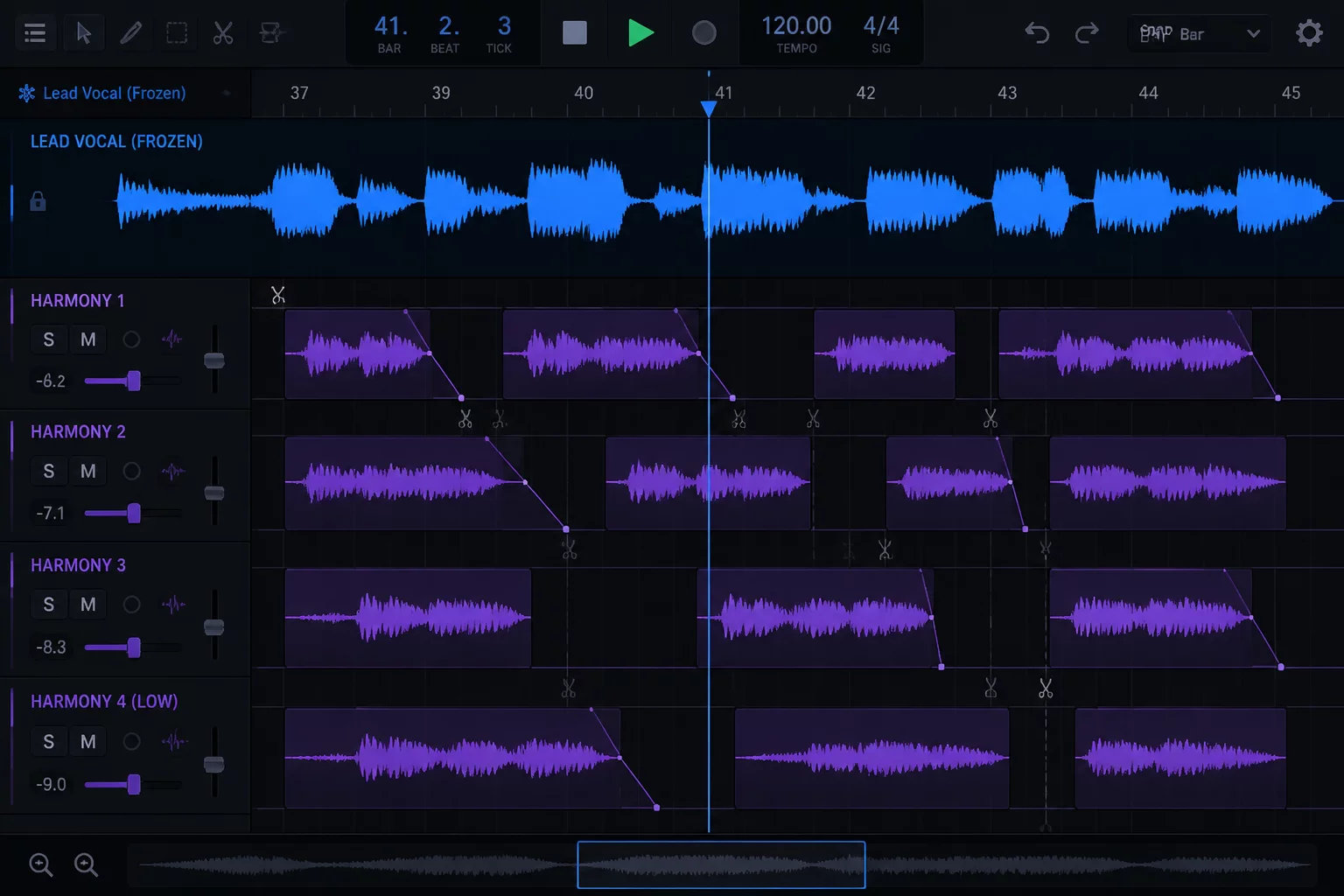
The Disconnect of Editing Backing Vocals in Isolation
Modern pop and cinematic productions routinely incorporate twenty or thirty vocal stems spanning unison doubles, high octaves, thirds, and counterpoint harmonies. During manual pitch correction or elastic timing operations, sound editors frequently zoom into individual harmony groups, pushing the lead track completely out of view. This separation creates a dangerous perceptual trap where harmonies are tuned and snapped strictly to musical bar lines rather than the real-world inflection of the lead singer.
Human voices possess organic timing discrepancies, subtle vibrato trajectories, and slight pitch slides that define emotion. When an editor aligns backing stacks strictly to an arbitrary beat grid without referencing the lead vocal waveform directly above, word endings clash. Hard consonants such as t, k, and s scatter across thirty milliseconds, transforming tight chordal stacks into a smeared haze.
When the lead vocal disappears from the screen during harmony tuning, engineers inadvertently tune harmonies to an abstract scale rather than to the lead singer's natural inflections.
Solving this issue requires treating the lead vocal not merely as an audible monitor source, but as a permanent visual reference line. By maintaining constant sight of the lead take waveforms, every knife slice, warp marker, and volume automation curve aligns directly to the performance that dictates the song's narrative arc.
Implementing Visual Locks Across Folder Tracks
Pro Tools folder tracks significantly reduce screen congestion by allowing entire musical sections to collapse into single channel strips. However, when an engineer expands a deep folder containing sixteen harmony takes, the lead vocal track often scrolls off the screen header. Re-establishing focus requires explicit layout rules that prioritize track positioning before initiating detailed micro-edits.
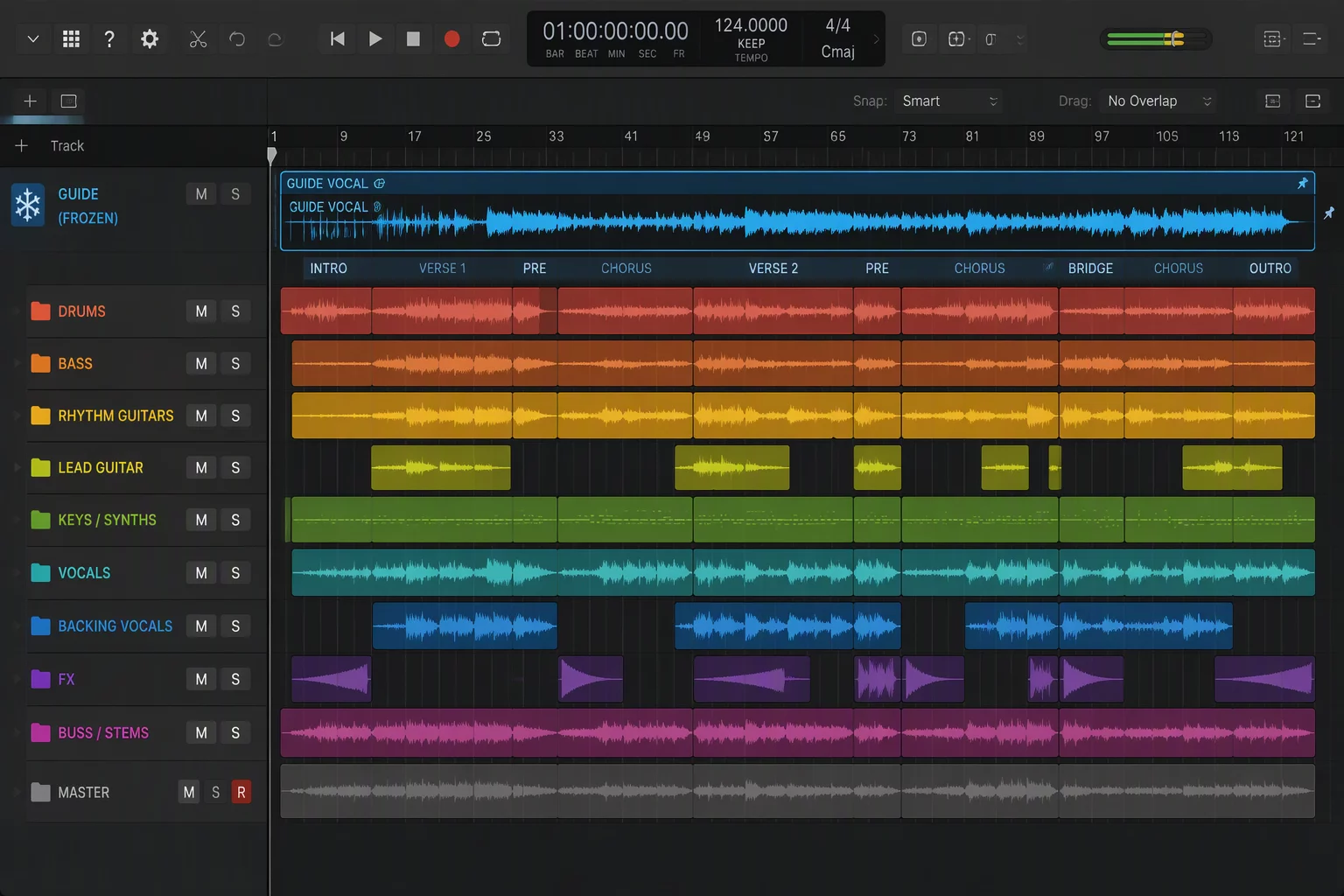
DAW sessions benefit immensely from separating folder grouping from visual reference management. Placing the comped, approved lead vocal into an independent top-level lane or utilizing track pin mechanisms ensures the guide stays frozen at the top horizontal split. While scrolling through sub-harmonies, the reference remains locked in place directly beneath the timeline ruler.
- Frozen Guide Track: Pin the final edited lead vocal to the upper tier of the Edit window so it stays static during all vertical maneuvers.
- Clustered Harmony Folders: Group high, mid, and low harmonies into separate basic or routing folders positioned directly underneath the locked guide.
- Color Consistency: Use high-contrast color coding for the lead waveform to ensure consonant markers remain unmistakable against background takes.
With this structural layout activated, editors make snap decisions on alignment in seconds. When scrolling down to lower tenor harmonies on track 48, the eye simply glances upward to verify whether a breath or an unvoiced consonant occurs early or late relative to the lead performer.
Maintaining Session Hierarchy Without Clutter
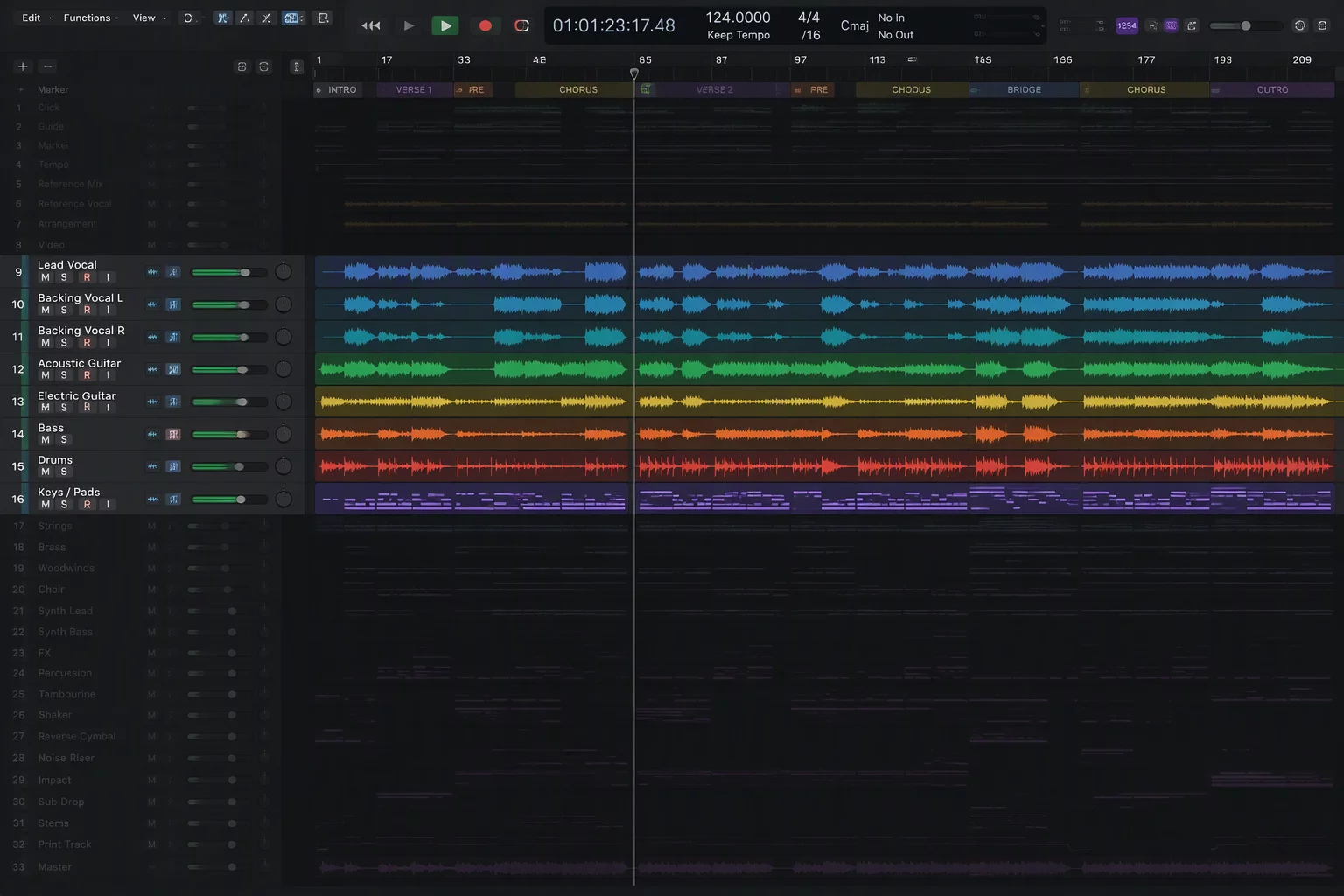
Session density can paralyze workflow when an engineer must manage over one hundred audio tracks simultaneously. To organize large session files effectively, track visibility configurations must reflect the current creative task rather than the permanent routing tree. When editing backing vocals, rhythm instruments, synthesizer pads, and auxiliary effects returns only create visual distraction.
Establish dedicated track show/hide presets or focus maps tailored specifically for vocal finishing. In this state, all instrument folders collapse into compact summary strips or hide entirely. The screen display isolates solely the master lead lane, the lead double, and the open harmony folder under active surgical repair. Visual noise plummets, enabling faster navigation and reduced eye strain during marathon editing sessions.
Tactical Workflow for Consonant Trimming and Pitch Alignment
Once the screen hierarchy is established, execute consonant trimming with systematic precision. Zoom in horizontally until the onset of hard plosives on the lead track occupies roughly one-third of the screen. Rather than aligning every harmony track to grid lines, use the lead vocal's initial transient spike as the strict vertical boundary. Pocket unvoiced consonants on backing tracks slightly behind or mute them altogether when they produce sibilant flams.
For pitch editing, monitor how the harmony note sits against the lead's center pitch. Backing vocals should frequently be tuned flatter or sharper by a couple of cents depending on the chordal root, avoiding robotic artifacts. Keeping the lead vocal visible provides an immediate visual clue to where expressive pitch scoops occur, ensuring the harmonies follow the singer's natural contours rather than sounding like detached synthesized tones.

Marcus Vance