The Cognitive Divide Between Micro-Editing and Macro-Review
Sound design and mixing require fundamentally opposed mental states. During editing, attention isolates phase alignments, crossfades, mouth clicks, and granular transient hits across individual microphone sources. Everything on screen expands into large vertical heights, with edit windows zoomed into individual sample boundaries. However, assessing the overall musicality or cinematic storytelling demands stepping back into a passive listening mindset where the interaction of full stem balances takes center stage.
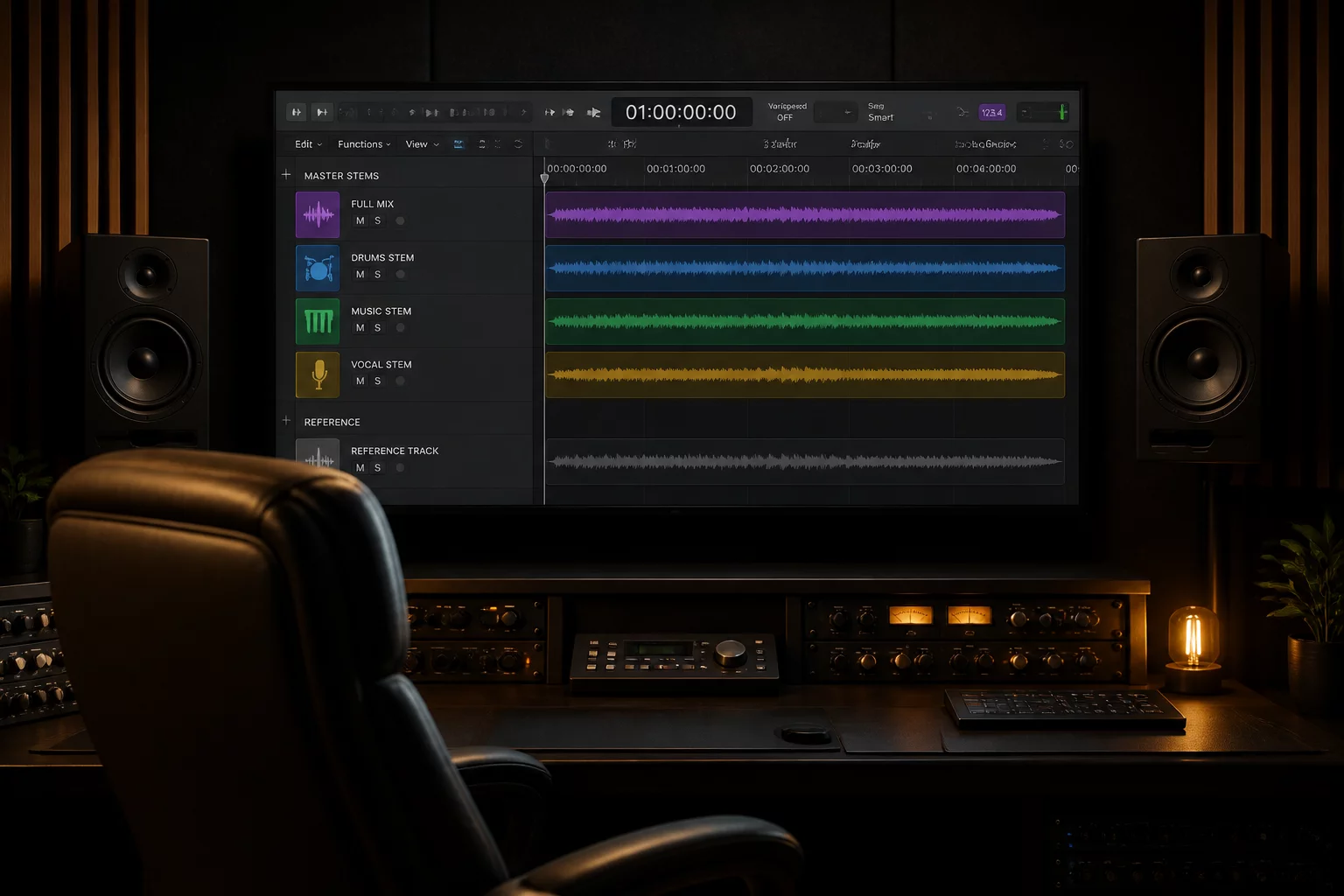
When an engineer attempts to review full-length passages while staring at eighty sprawling audio tracks, the brain continues to search visually for flaws instead of experiencing the cumulative musical energy. Switching between these modes cannot rely on manual scrolling or endless click-dragging track boundaries. Building dedicated layout states allows instant visual transformation, collapsing deep production clutter while keeping master summing stems and essential reference tracks locked in place.
Solving Visual Fatigue and Workflow Stalling
Working inside dense commercial sessions routinely introduces visual fatigue. When timelines remain fixed in micro-editing mode, playback passes often get interrupted every three bars because an engineer spots an unedited waveform artifact that does not actually degrade the summed mix. This habit destroys creative velocity and delays project delivery.
By instituting strict view boundaries, engineers establish clear phases during review sessions. In review mode, detailed edit tracks tuck into folder containers, leaving only composite stem meters, mix buses, and reference masters visible. Producers and clients sitting in the room see a calm, professional interface focused on emotional delivery rather than chaotic cutting rooms.
Practical Workflow Rule
Never evaluate balance, emotion, or overall spatial cohesion while zoomed into individual clip edits. Switch to collapsed stem mode before pressing spacebar for full playback passes.
Strategic Organization for Rapid State Toggling
Seamless transitions require intentional session architecture established from the initial tracking or prep phase. Relying on makeshift hiding routines during playback breaks continuity. Modern Pro Tools folder tracks enable hierarchical containment where sub-elements naturally inherit summing and solo logic while collapsing into a single meter bar.
In conjunction with track pin behavior, critical elements remain anchored regardless of vertical scrolling depth. The following principles underpin effective state toggling across demanding production environments:
- Group sub-tracks into dedicated routing folders to permit instant one-click collapse without interrupting bussing or automation lanes.
- Utilize track pin functionality to preserve visual access to the master output stem and client reference print at all times.
- Store discrete Window Configurations and Track Show/Hide memories mapped to numeric keypad shortcuts for split-second layout swaps.
- Standardize uniform track height defaults across review views so meters and overall gain staging can be interpreted at a glance.
Key Facts & Technical Specifications
- Primary Edit Mode
- Expanded individual channels, sample-accurate zoom level, transient view enabled.
- Review Playback Mode
- Collapsed folder stems, micro track height, integrated master loudness metering.
- Toggle Mechanism
- Memory Locations with Track Show/Hide and Window Configuration recall.
- Navigation Latency
- Under 1 second transition time between detailed editing and full mix auditioning.
Schedule a Session Workflow Review
Discuss timeline mapping, folder hierarchy, and track pinning tailored to your production studio.
No comments yet. Be the first to leave a comment.