The Initial Bottleneck: Scrolling Past 80 FX Tracks to Reach Dialogue
In high-stakes broadcast drama and feature mixing, dialogue editing demands instant focus on transient clarity, subtle phase alignment between boom and wireless microphones, and seamless ambient room tone bridging. When this 148-track episodic reel arrived, editorial work slowed significantly because character lines were buried midway down the vertical timeline between wall-to-wall design textures and temp scoring stems. Every audition pass forced constant vertical scrolling across dozens of non-relevant channels.
The editorial objective was not merely to mute unwanted sounds, but to establish a dedicated visual hierarchy. By decoupling permanent storage order from active task visibility, the editor could isolate eight core dialogue channels, keep synchronous production guides locked at the viewport margin, and instantly suppress background sound effects into silent, collapsed holding folders.
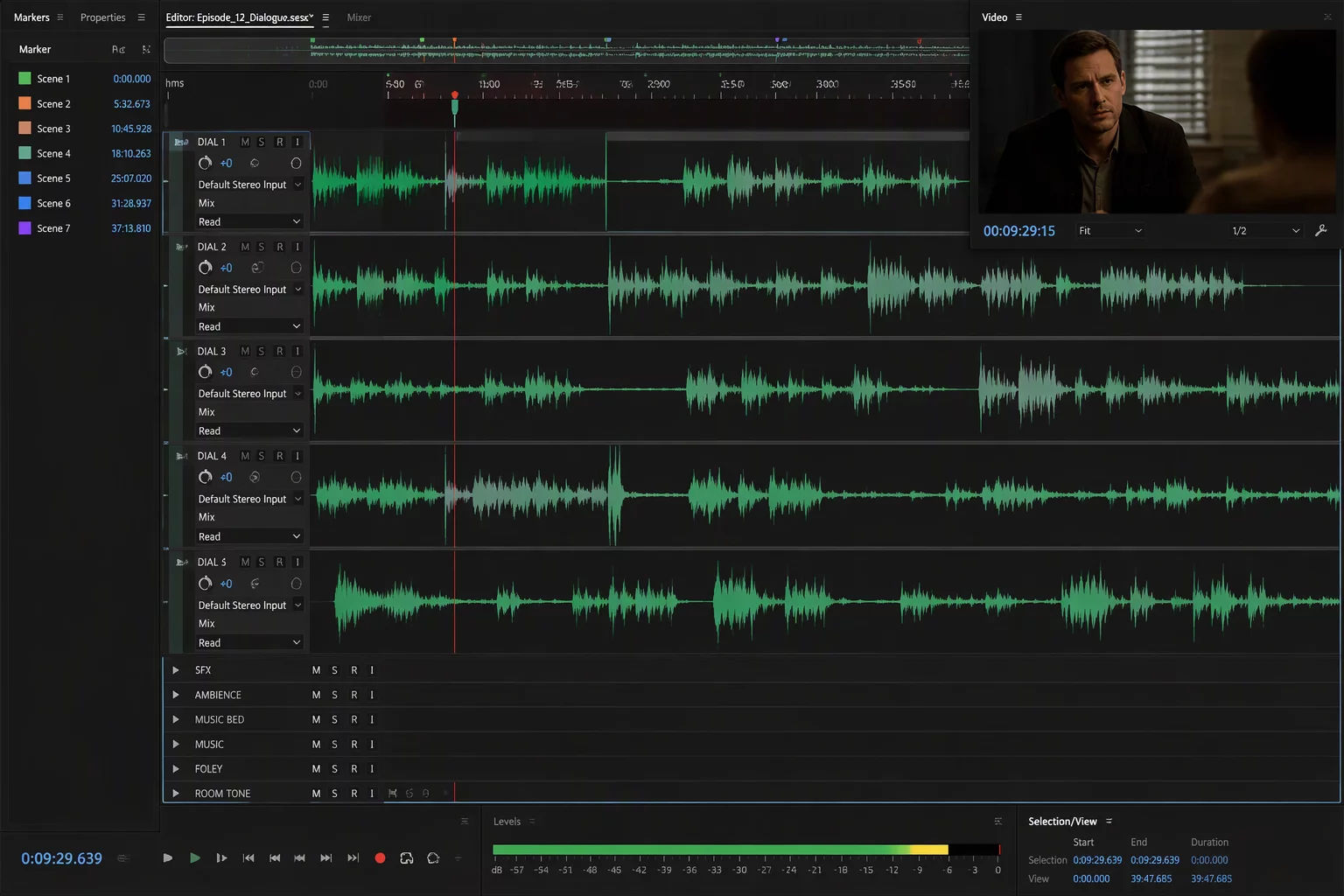
Implementing Pinned Guides and Dynamic Folder States
The session holds six groups: Dialogue, Music, Ambience, Foley, Effects, and Prints. The task for this pass was a dialogue edit, so the team built a Focus Map with three tiers: pinned, expanded, and collapsed. The Dialogue Guide, the Picture Reference, and the Master Notes track were pinned to the top of the Edit window. However deep the editor scrolled into ADR alternates or room-tone fills, those three stayed in view.
Only the dialogue folders were expanded. Music, Foley, Effects, and Prints stayed collapsed for the whole pass, and Ambience stayed open at a small track height for room-tone checks. The active edit window went from 148 tracks to 12: the three pinned references and the nine dialogue tracks for the scene.
- Dialogue Guide
- Picture Reference
- Master Notes
- Ambience
- Music
- Foley
- Effects
- Prints
The Golden Rule of Dialogue Focus
When cleaning production audio, never let inactive background stems occupy screen real estate. Use nested routing folders to organize large session tracks, and reserve physical vertical display height exclusively for channels receiving micro-fades and phase alignment.
Operational Rules for Rapid Scene Clean-Up
With the screen cleaned up, the dialogue editor could evaluate crossfades and tone continuity in real-time. By utilizing memory locations linked strictly to track show/hide properties, switching between dialogue isolation and the full preview mix took less than a single keystroke.
These four tactical rules formed the backbone of the streamlined workflow:
- Keep the Dialogue Guide, the Picture Reference, and Master Notes pinned at the top of the Edit window at all times.
- Consolidate principal character lavaliers and boom microphones into an expanded Dialogue Work Folder with dedicated color-tagging.
- Collapse Music, Foley, Effects, and Prints during micro-editing passes; leave Ambience open at a small track height.
- Leverage Pro Tools track show/hide view presets to toggle full stem auditioning without breaking folder collapse settings.
Key Facts & Technical Specifications
- Project Scale
- 148 total tracks: Dialogue (32), Music (18), Ambience (14), Foley (22), Effects (51), Prints (8), plus 3 pinned references
- Focus Configuration
- 3 pinned, 9 dialogue tracks expanded, Ambience at small height; Music, Foley, Effects, and Prints collapsed
- Efficiency Gain
- 42% Reduction in Navigation Time per 10-Minute Reel
- Delivery Format
- 5.1 & Stereo Print Masters with Separated M&E Deliverables
Schedule a Session Workflow Review
Discuss timeline mapping, folder hierarchy, and track pinning tailored to your production studio.
No comments yet. Be the first to leave a comment.