The Vocal Stacking Dilemma: Visual Friction in Dense Timelines
Modern commercial productions routinely exceed eighty vocal layers, combining lead takes, tight unison doubles, octaves, wide harmonies, and ambient ad-lib throws. Navigating such a vast number of tracks during precision timing alignment or micro-pitch editing often creates extreme visual friction. Continuous vertical scrolling disrupts focus, increases ear fatigue, and leads to careless phase errors.
The key to mastering these dense sessions lies in separating the active editing workspace from passive arrangement groups. By utilizing Pro Tools folder tracks to group secondary harmonies and employing track pin strategies on the primary lead comp, engineers can seamlessly organize large session layouts while keeping their visual attention fixed on critical transient details.
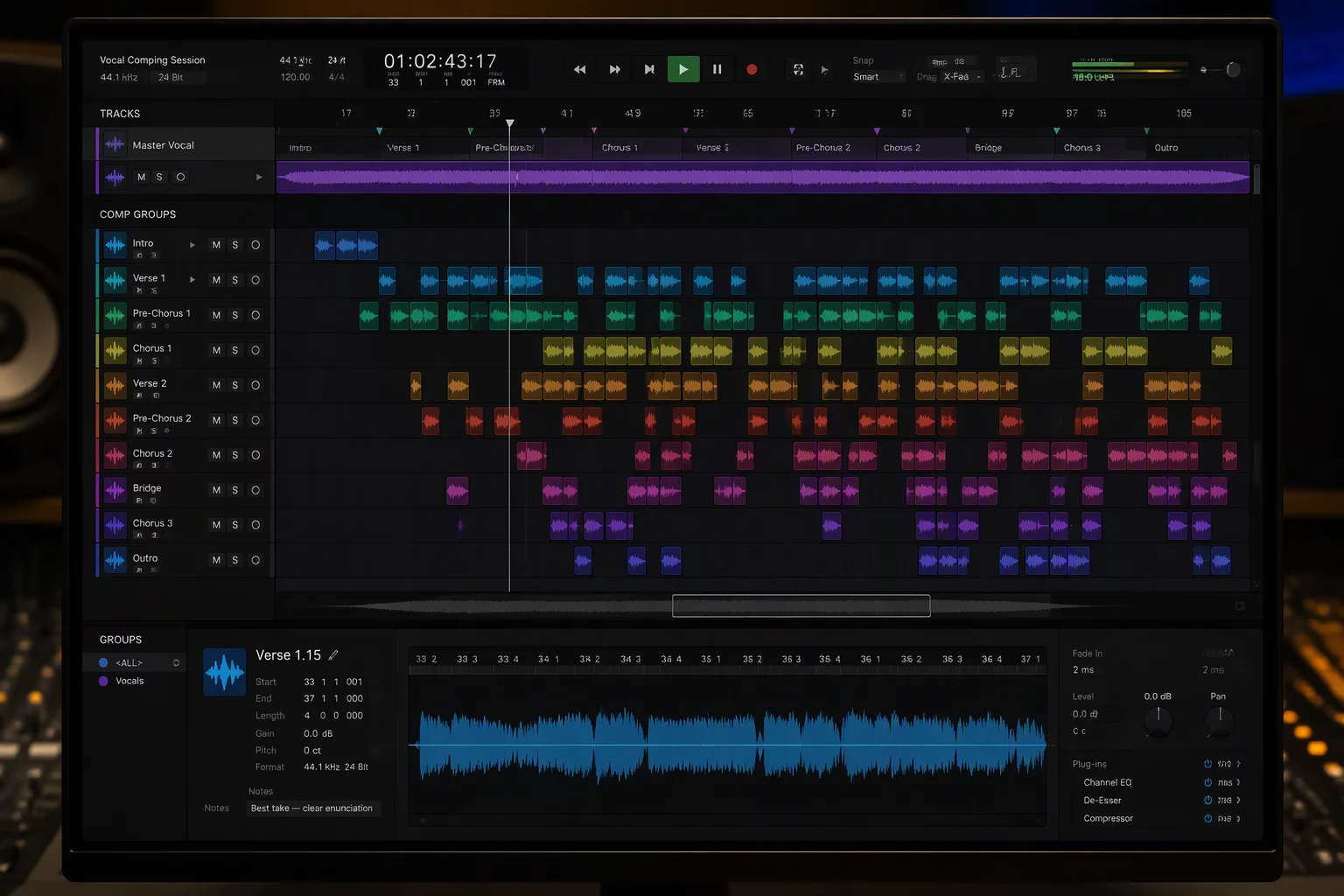
Hierarchical Routing: Grouping by Function and Stage
Rather than scattering tracks across the session by recording order, the timeline is partitioned into functional routing containers. The master lead vocal chain occupies the top slot, followed by dedicated folders for tight unison doubles, three-part harmony stacks, backing choir pads, and dynamic effects returns.
Each routing folder acts as a self-contained sub-mix with unified mute, solo, and insert buses. When editing background harmony timing, an engineer expands only the relevant vocal harmony folder while leaving instrumental beds and choir stacks collapsed, reclaiming up to 70% of vertical screen space.
The Lead Anchor Principle
Never attempt to align backing vocals against the grid in isolation. Always use a track pin on the master lead vocal to keep it visually and acoustically juxtaposed with the doubles, ensuring seamless consonant releases and natural breath alignment.
Track Pinning and Playlist Management During Alignment
The primary challenge during detailed editing is losing visual sight of the main rhythm guide. Scrolling deep into lower track lanes to adjust high-register harmony tails often pushes the lead vocal off-screen, making manual transient matching tedious and error-prone.
Freezing the master guide in place with a track pin locks the waveform to the top border of the timeline. Even when scrolling through dozens of choir overdubs, the reference performance remains locked in view, drastically speeding up alignment edits and reducing mental overhead.
- Lock the finalized Lead Comp to the Edit window ceiling with an active track pin for instant visual reference.
- Consolidate secondary vocal layers into dedicated Pro Tools folder tracks and collapse them immediately after timing adjustments.
- Apply standardized color codes across vocal roles (e.g., Lead in Gold, Doubles in Azure, Harmonies in Violet, FX in Coral).
- Use Playlist lanes strictly within primary tracking channels before exporting or rendering tuned audio downstream.
Key Facts & Technical Specifications
- Lead Vocal Comping Channels
- 4 Dedicated Tracks (Main Comp, Pitch Tuned Print, Raw Safety, and Sibilance Sidechain)
- Doubles and Harmony Stems
- 48 Tracks in 4 Dedicated Routing Folders (Left/Right Unisons, Mid Harmonies, High Octaves)
- Choir and Ad-Lib Beds
- 28 Tracks organized in 2 Collapsible Basic Folders with Aux Returns
- Sub-Busses and VCA Control
- 8 Auxiliary Subgroups and Master VCA Faders for Fast Balancing
Schedule a Session Workflow Review
Discuss timeline mapping, folder hierarchy, and track pinning tailored to your production studio.
No comments yet. Be the first to leave a comment.